Agent control
Let AI work on your board. Keep the say-so.
Kanduck is a free kanban board where the AI apps you already use can propose changes, you approve them, and anything an AI did can be undone. Nothing changes behind your back.
Start a free board How to connect an AI app
Using Claude? See the Claude integration.
Free for up to 10 people, every feature included. No account to start.
Propose, review, approve, undo
Handing an AI app your board usually means trusting it blind: it edits, and you find out later. Kanduck puts a person between the AI and the board at each step.
1. The AI proposes
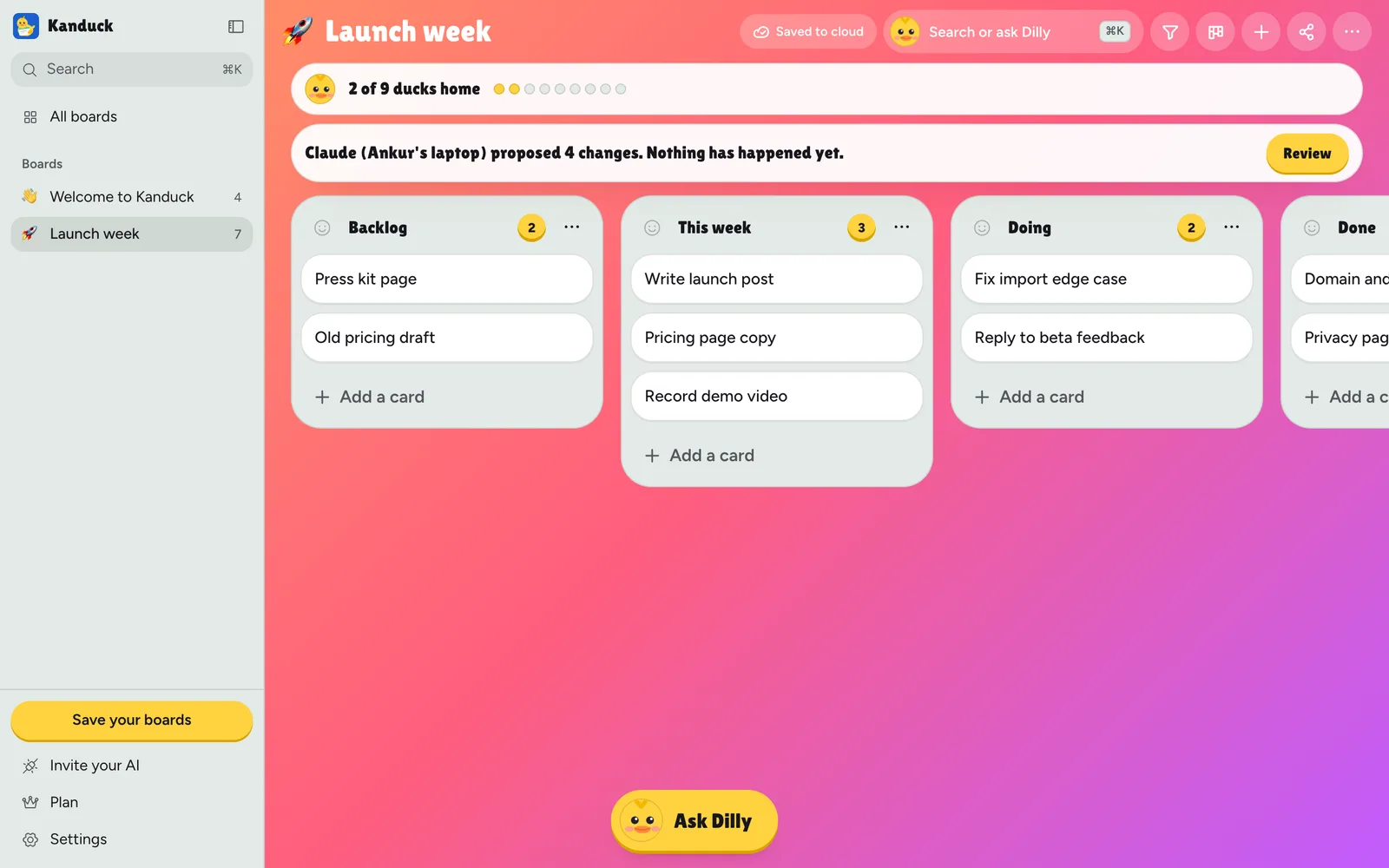
Connect an AI app in Propose changes mode. It can read your board and ask for edits, but each edit becomes a proposal and the board stays exactly as it was. This is enforced by Kanduck's server, so it doesn't depend on the AI app behaving.
2. You review it in plain words
Each request says who is asking and what it would do: move this card, rename that one, add these two. Nothing is applied while you read.
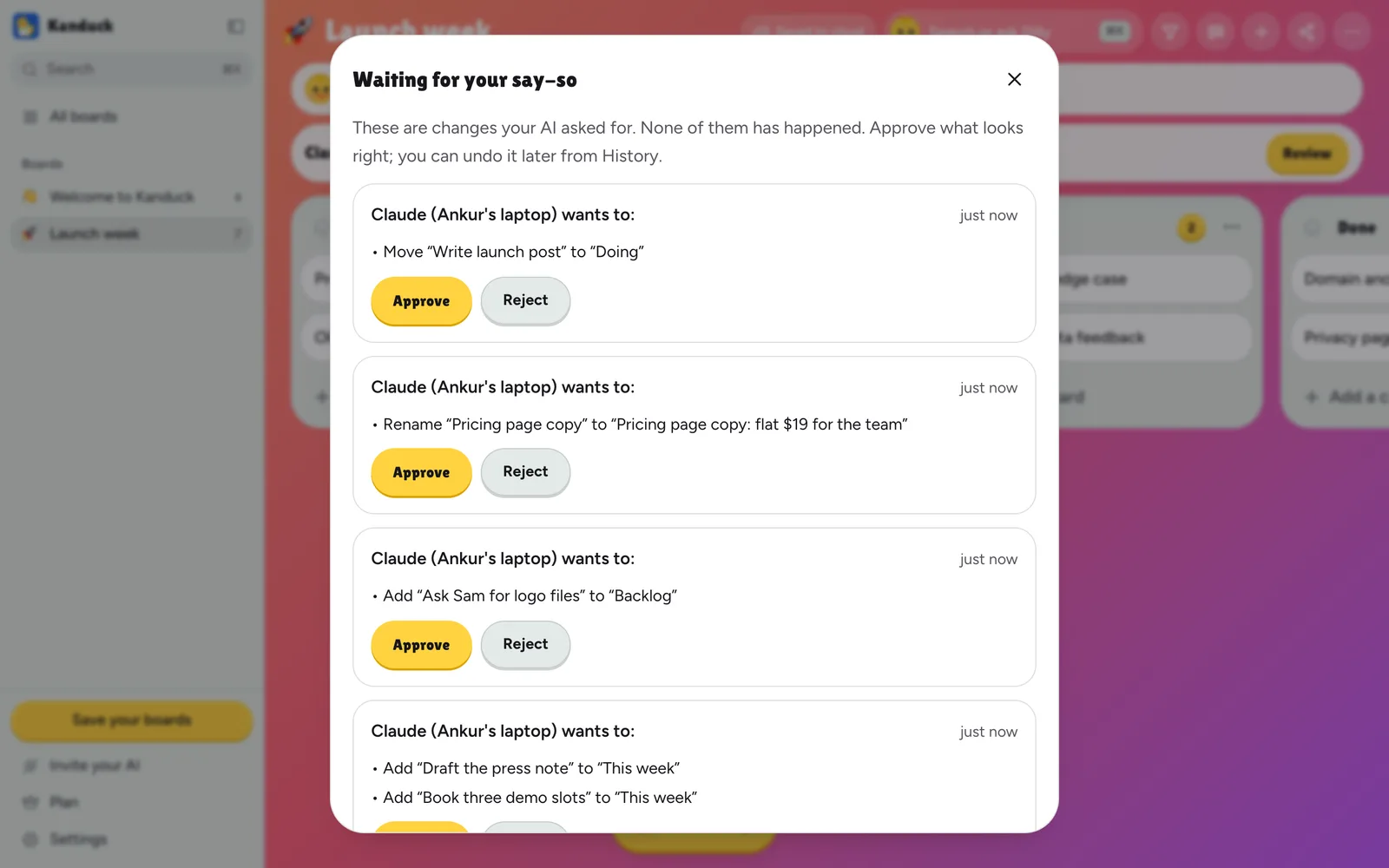
3. You approve some and reject the rest
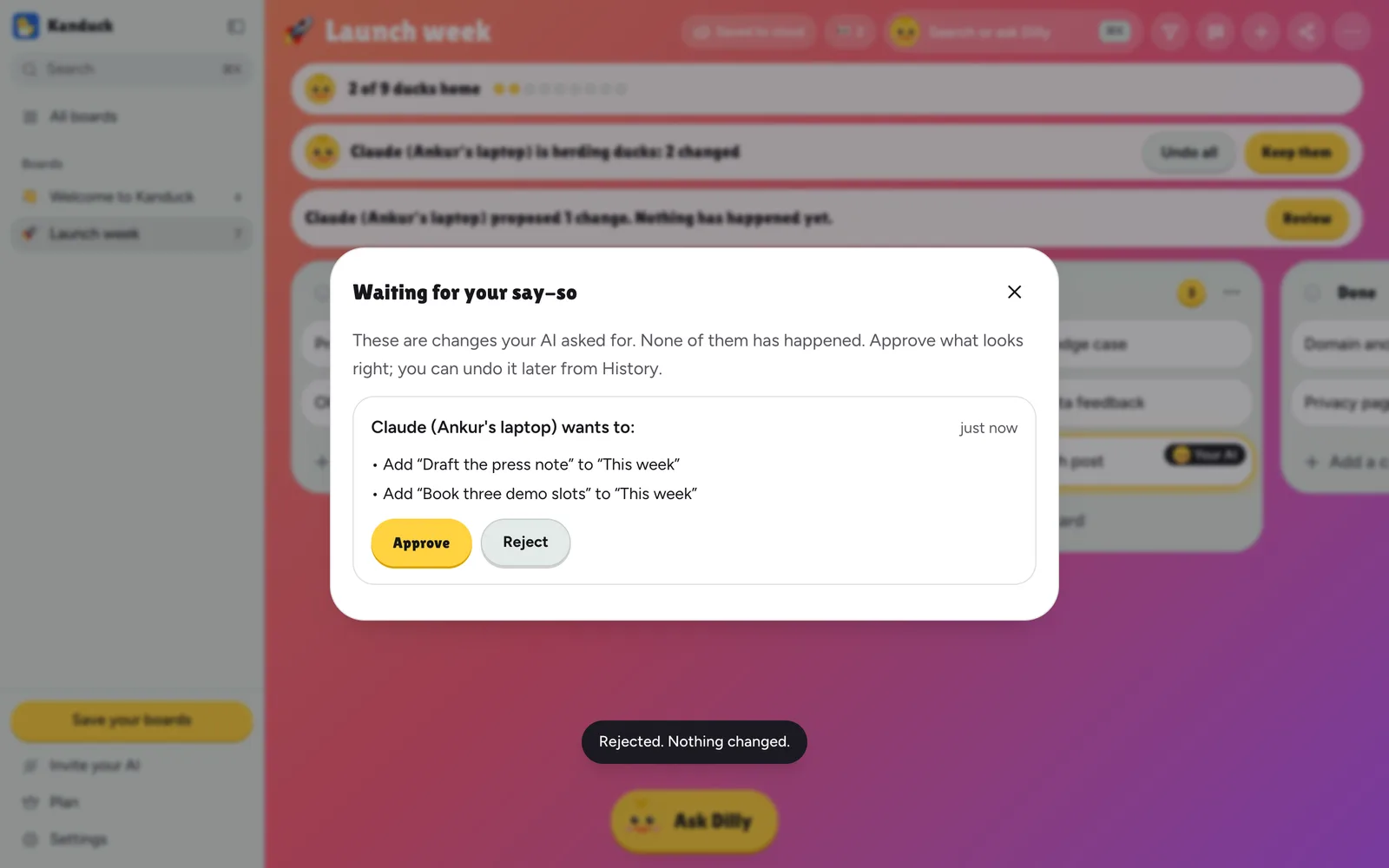
Approving checks that the card hasn't changed since the AI looked. If you edited it in the meantime, Kanduck says so and you can approve anyway or reject. A rejected proposal changes nothing, and the AI can see that it was rejected.
4. You can undo what an AI did, and get back what it deleted
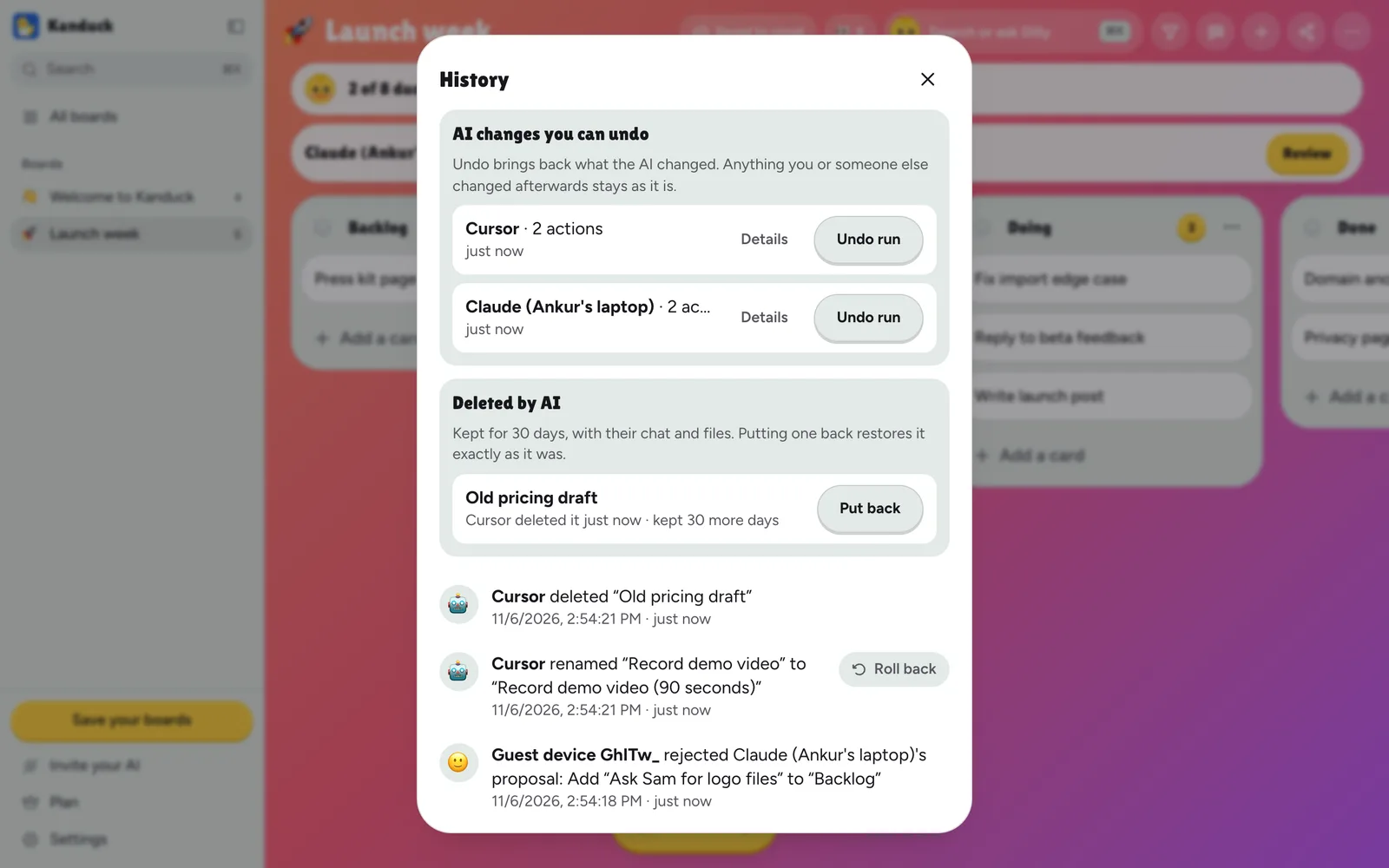
In History, AI changes are grouped by connection and run. Undo one action or a whole run: cards go back as they were, and anything you changed afterwards is left alone and listed. When an AI deletes a card or a whole list, it goes to Trash for 30 days with its chat and files, and Put back restores it as it was.
Three levels of trust, per connection
- Read only. The AI can read and search. It cannot change anything.
- Propose changes. It can read and ask. A person approves each request.
- Can edit. It edits directly. Every change is labelled with its name and can be undone from History.
Each connection has its own name, can be limited to one board, and can be switched between levels or disconnected at any time. Changes show up on the board and in History under that name, not under a generic "AI".
What it doesn't do
- It controls AI apps connected over MCP. Dilly, the built-in assistant, and people's own edits aren't held for approval.
- Only the board's owner and invited members who have verified their email can approve, undo or put things back. A link guest or an AI connection can't.
- Undo covers the last 30 days and 500 changes per board. A card you edited after the AI is left alone entirely, not merged.
- The Trash holds what an AI deletes. What a person deletes is gone, as before. After 30 days an item is removed from the Trash, and older board history can still contain its text until it ages out. Privacy has the details.
Free kanban and project management, with a flat team price
All of this is included in the free plan, which covers up to 10 people and every feature. A team past 10 pays one price for the whole workspace, not per person. See pricing, or how it compares with Trello.
Questions
What does Propose changes mean?
An AI app connected in Propose changes mode can read your board, but anything it tries to change becomes a proposal. Nothing on the board moves until you approve it. Kanduck's server enforces this on every route, so it does not depend on the AI app behaving.
Can I undo what an AI changed?
Yes. In History, AI changes are grouped by connection and run, and you can undo one action or a whole run. Anything you or someone else changed afterwards is left as it is and listed. Undo covers the last 30 days and 500 changes per board.
What happens when an AI deletes a card or list?
It goes to the board's Trash for 30 days, with its chat and files, and you can put it back exactly as it was. After 30 days it is removed from the Trash. Deletes made by people are unchanged and permanent.
What if I edited a card while the AI's proposal was waiting?
Approving checks that the card has not changed since the AI looked. If you edited it, Kanduck tells you what changed and you can approve anyway or reject the proposal.
How do I connect an AI app?
Paste Kanduck's address into your AI app's connectors, then approve it in Kanduck and pick Read only, Propose changes or Can edit. The docs have the steps, and the Claude integration page covers Claude in detail. If an app was connected with an old private link, reconnect it the same way: why.
Is agent control free?
Yes. Kanduck is free for up to 10 people with every feature. Teams past 10 pay a flat price for the whole workspace, not per person.
Try it on a board of your own
Make a board, open Invite your AI, and connect an app in Propose changes mode. Nothing it asks for happens until you say so.